
Recover Deleted Websites from Your History on Computers and Phones 🕵️
The feeling of having lost an important web page you visited can be frustrating. But don't worry, there are effective ways to recover those deleted websites from history, both on your computer and phone. In Dicas Legais, we want to help you find the right tools and techniques to solve this problem
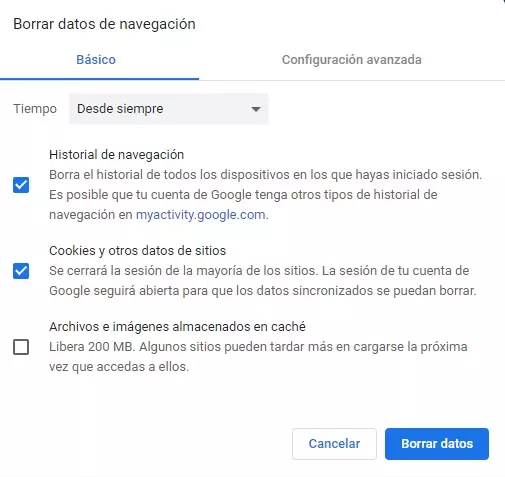
Why Recover Web History?
Whether you accidentally closed a page, cleared your history by mistake, or need to access information specific to a previous visit, knowing how to recover your web history can be critical.
Our devices record a lot of data while we browse, and, although it may seem that once deleted they are lost forever, there are methods that allow us to recover them.
On this page, you will discover practical and safe solutions.
What Do These Tools Offer?
Web history recovery techniques and applications offer benefits such as:
Restore accidentally deleted sites.
Recover data deleted by cleaning the browser.
Access logs stored in the device cache or in backups.
Some of these solutions can also help analyze past browsing activities safely and privately.
Main Tools and Methods
There are several ways to recover deleted websites. Below we explore some of the most effective:
1. Using the Browser Cache Memory
Browsers like Chrome and Firefox store a temporary version of visited web pages. Accessing this cache can help you find sites removed from history.
2. Data Recovery Software
Programs like Recuva or EaseUS Data Recovery Wizard they are powerful tools that can restore system files, including deleted web histories.
3. Google Activity
If you have your Google account synced, you can use the “My Activity” section to view browsing logs, even after deleting them from your device history.
4. Recovery on iOS or Android
On iOS: Use iCloud backups or apps like PhoneRescue to access old browsing data.
On Android: Check your Google activity or use tools like DiskDigger to recover data from your phone.
5. Use of DNS Cache
On computers, you can access the DNS cache to list visited websites. You only need to enter commands in the terminal (Windows or macOS) to recover them.
Why Choose Our Guide?
In Dicas Legais, we are dedicated to providing you with useful and easy-to-follow information. Our guides are designed for users of all levels, ensuring you get:
Practical and effective advice: We test each method to make sure it is functional.
Secure solutions: We avoid tools that compromise your privacy or security.
Clear step by step: Simple instructions, even for beginners.
Do you want to know more?
If you want to learn more about these tools and how to apply them to your case, see our detailed article. In it we share everything you need to recover deleted websites, including direct links to the best solutions and custom methods.
Don't waste any more time and click the link to read the full article!
Take back those important websites and stay in control over your online experience. We are waiting for you on our blog with the best technological solutions!